PLC Splitter Package Types Explained: Bare Fiber, Blockless, ABS, LGX and Rack Mount
Choosing the right PLC splitter package is not only a product-detail question. It affects how the splitter is installed, protected, patched, labeled, tested, replaced and quoted.
For most FTTH projects, the split ratio gets attention first: 1×4, 1×8, 1×16, 1×32, 1×64 or another configuration. But once the optical design is clear, the next practical question is: what package type should the splitter use?
The common PLC splitter package types include bare fiber, blockless or mini module, ABS box, LGX cassette and rack mount. Each package can suit a different point in the optical distribution network, from compact terminal boxes to rack-based ODF cabinets.
This guide explains the differences from a procurement and deployment point of view, so buyers can send a clearer RFQ and avoid ordering a splitter that fits the optical design but not the installation environment.
Quick comparison of PLC splitter package types
| PLC splitter package type | Typical use | Main advantage | Key RFQ checks |
|---|---|---|---|
| Bare fiber PLC splitter | Integrated inside closures, trays or custom modules | Smallest and most flexible for factory integration | Fiber type, split ratio, fiber length, tube size, splicing plan |
| Blockless / mini PLC splitter | Compact FTTH boxes, small distribution points, limited-space enclosures | Compact size with better protection than bare fiber | Module size, pigtail length, connector option, box compatibility |
| ABS box PLC splitter | Wall-mount boxes, distribution boxes, indoor cabinets | Protected housing, easy identification and handling | ABS box size, connector type, adapter layout, cable entry |
| LGX cassette PLC splitter | ODF, rack cabinets, structured patching areas | Modular front-panel patching and easier replacement | LGX size, adapter type, panel compatibility, labeling |
| Rack mount PLC splitter | Central office, headend, equipment room, larger cabinets | High-density rack installation and organized port management | Rack size, port count, connector type, cable routing, labeling |
The right choice depends on the installation point, available space, maintenance method and how the splitter connects to other passive components.
What is a PLC splitter package?
A PLC splitter is a passive optical device used to divide one optical signal into multiple output channels. In PON and FTTH networks, it is normally part of the optical distribution network between the OLT side and the subscriber side.
The splitter package is the physical form around the splitter chip, fiber pigtails, connector interfaces and protective housing. In practical terms, it answers these questions:
- Will the splitter be spliced inside a closure?
- Will it be installed inside a fiber distribution box?
- Will technicians patch it through adapters on a front panel?
- Will it be managed in a rack, cabinet or ODF?
- Does the project need fast replacement, or is it a fixed internal assembly?
Two PLC splitters may have the same split ratio but completely different package styles. For example, a 1×8 splitter can be supplied as a compact mini splitter for a terminal box, while a higher-count splitter can be installed in a rack mount patch panel for centralized distribution.
Bare fiber PLC splitter
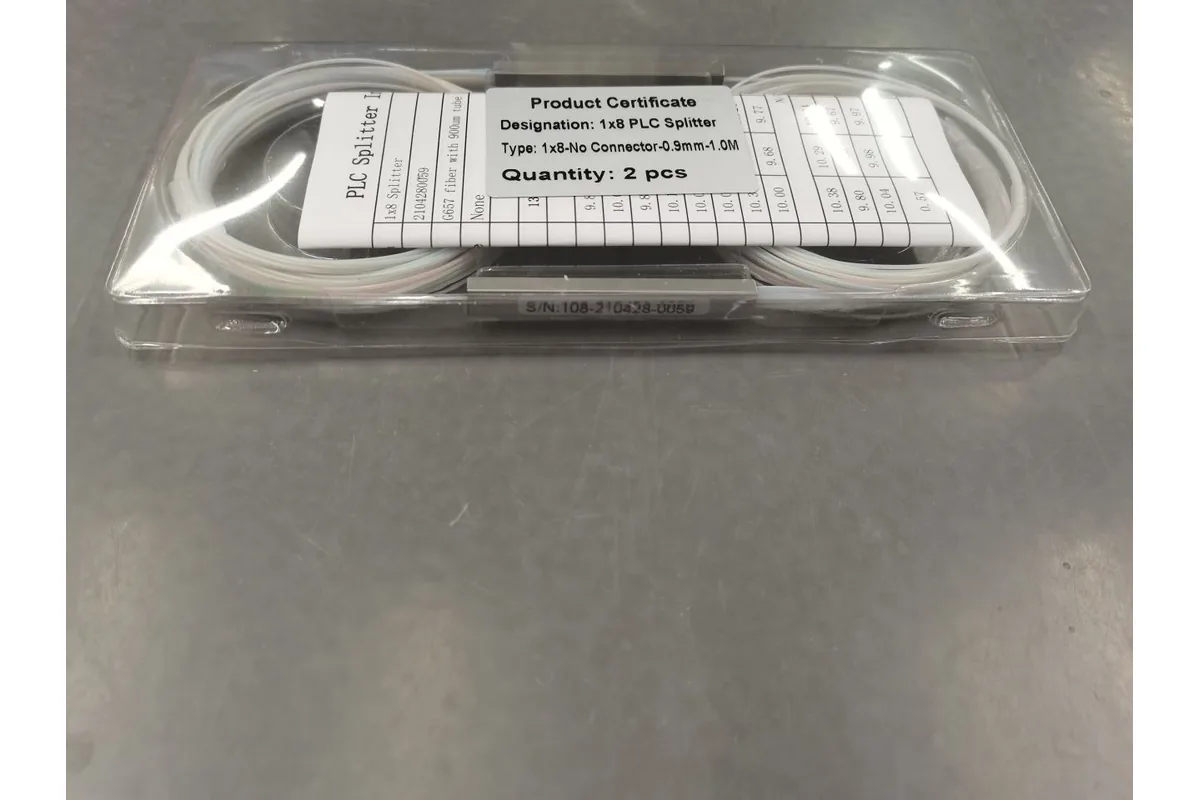
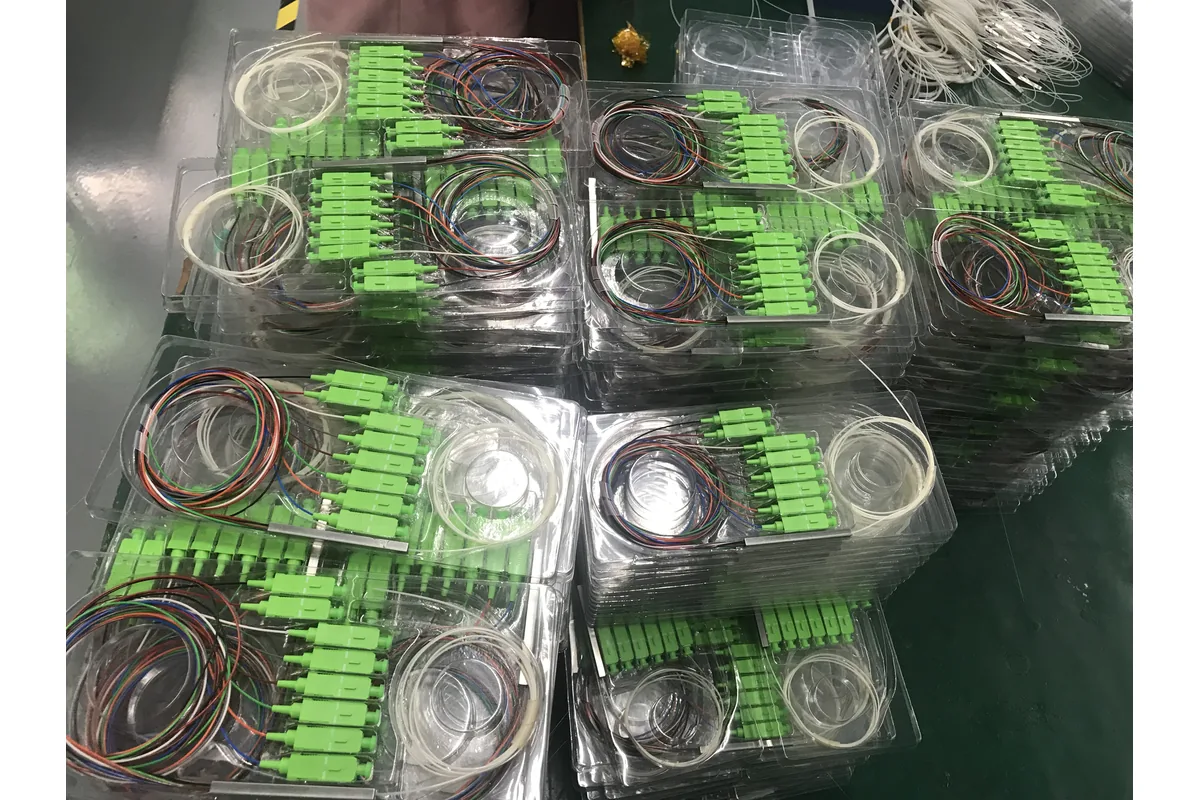
A bare fiber PLC splitter is the most basic package style. The splitter device is protected minimally, and the input and output fibers are left for splicing or integration into another product.
This type is useful when the splitter will become part of a larger assembly. For example, a factory may integrate it into a splice closure, a tray, a cassette, or a custom distribution module. It gives the assembler flexibility, but it requires more careful handling and more installation work.
When bare fiber makes sense
Bare fiber PLC splitters are normally considered when:
- the splitter will be fusion-spliced inside another enclosure;
- the project needs a compact internal structure;
- the buyer or assembler already controls the final box, tray or module design;
- connectorized outputs are not required at the splitter itself.
Procurement notes
For bare fiber splitters, the RFQ should not only say “1×8” or “1×16.” It should also include fiber type, input/output fiber length, tube or protection requirement, splicing method and whether the splitter is for factory assembly or field installation.
If the buyer does not control the final enclosure design, bare fiber may create avoidable assembly risk. In that case, a blockless, ABS, LGX or rack mount package may be easier to specify and manage.
Blockless or mini PLC splitter
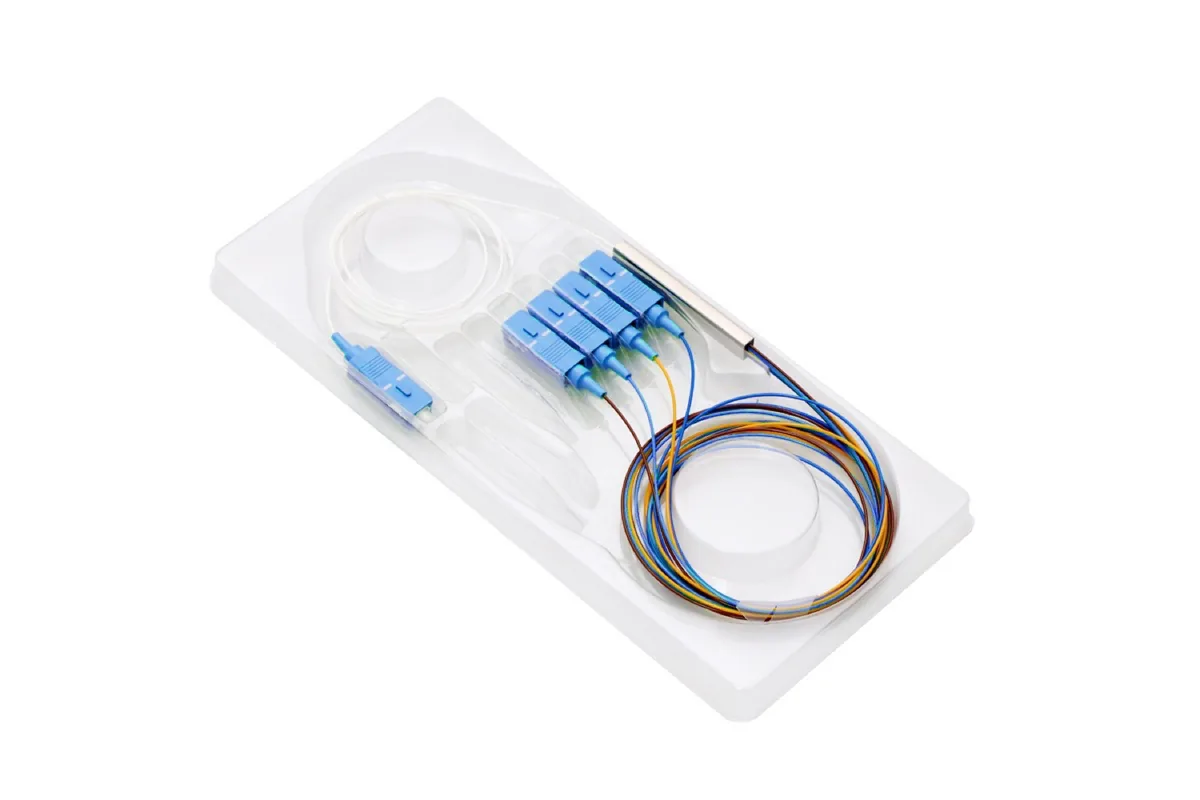
A blockless PLC splitter, often called a mini PLC splitter, uses a compact protective structure around the splitter component. It is larger and easier to handle than a bare fiber splitter, but still much smaller than an ABS box or rack-mounted unit.
This format is common when space is limited. It can be used in compact FTTH distribution boxes, terminal boxes, small cabinets or other passive network enclosures where a full ABS box may be too large.
NetLast’s live product pages include an example of a Mini 1×8 SCAPC PLC Splitter 900μm, described on the page as a 1×8 SCAPC 1M 900μm Mini PLC Splitter for FTTH. The exact configuration for any project should still be confirmed from the current product page, datasheet or quotation.
When mini package makes sense
A mini or blockless splitter is often a practical choice when:
- the distribution box has limited internal space;
- the splitter must fit together with adapters, pigtails and splice trays;
- the project needs a compact pre-assembled component;
- the buyer wants a balance between size and physical protection.
Procurement notes
Before ordering, confirm the physical module size, pigtail length, connector type, connector polish, fiber type and how the mini splitter will be fixed inside the target enclosure.
The key risk is mechanical fit. A mini splitter may look correct in a product photo but still not match the internal space, bend radius, cable routing or adapter layout of the actual distribution box.
ABS box PLC splitter

An ABS box PLC splitter places the splitter inside a plastic protective housing. It is easier to label, handle, pack and install than bare fiber or mini formats. In many FTTH projects, ABS box splitters are used inside fiber distribution boxes, wall-mounted boxes, cabinets or other access/distribution locations.
The ABS housing gives the splitter a clear physical form. This helps buyers and installers identify the ratio, connector type and port direction more easily. It also makes the item more convenient for inventory and shipment.
When ABS box makes sense
ABS box PLC splitters are suitable when:
- the project needs a protected splitter module rather than loose fiber;
- the splitter will be handled or replaced during installation;
- the enclosure has enough space for a box-style module;
- labels and port identification are important for field work.
Procurement notes
For an ABS splitter, specify the split ratio, connector type, connector polish, pigtail length, box size, input/output direction and label requirements. If it will be installed into a fiber distribution box, confirm the box’s internal space and fixing method before production.
Do not assume every ABS splitter fits every distribution box. The box dimensions, adapter layout, fiber routing and splitter mounting position should be checked together.
LGX cassette PLC splitter
An LGX PLC splitter is built into a cassette-style module for rack, cabinet or ODF environments. Instead of loose pigtails only, the technician usually interacts with adapters on a front panel. This makes patching, labeling and replacement more structured.
LGX cassette splitters are useful when the network has a more organized equipment-room or cabinet layout. They are also easier for technicians to manage when multiple splitters are installed near each other.
When LGX makes sense
LGX cassette splitters are commonly considered when:
- the splitter is installed in an ODF, rack cabinet or structured enclosure;
- technicians need front-panel patching;
- labeling and port management are important;
- future replacement or reconfiguration is expected.
Procurement notes
For LGX splitters, check the cassette dimensions, adapter type, connector polish, fiber routing direction, panel compatibility and labeling format.
The important point is mechanical compatibility. “LGX” is a common format term, but buyers should still confirm the cassette size and mounting compatibility with the actual rack, panel or cabinet being used.
Rack mount PLC splitter
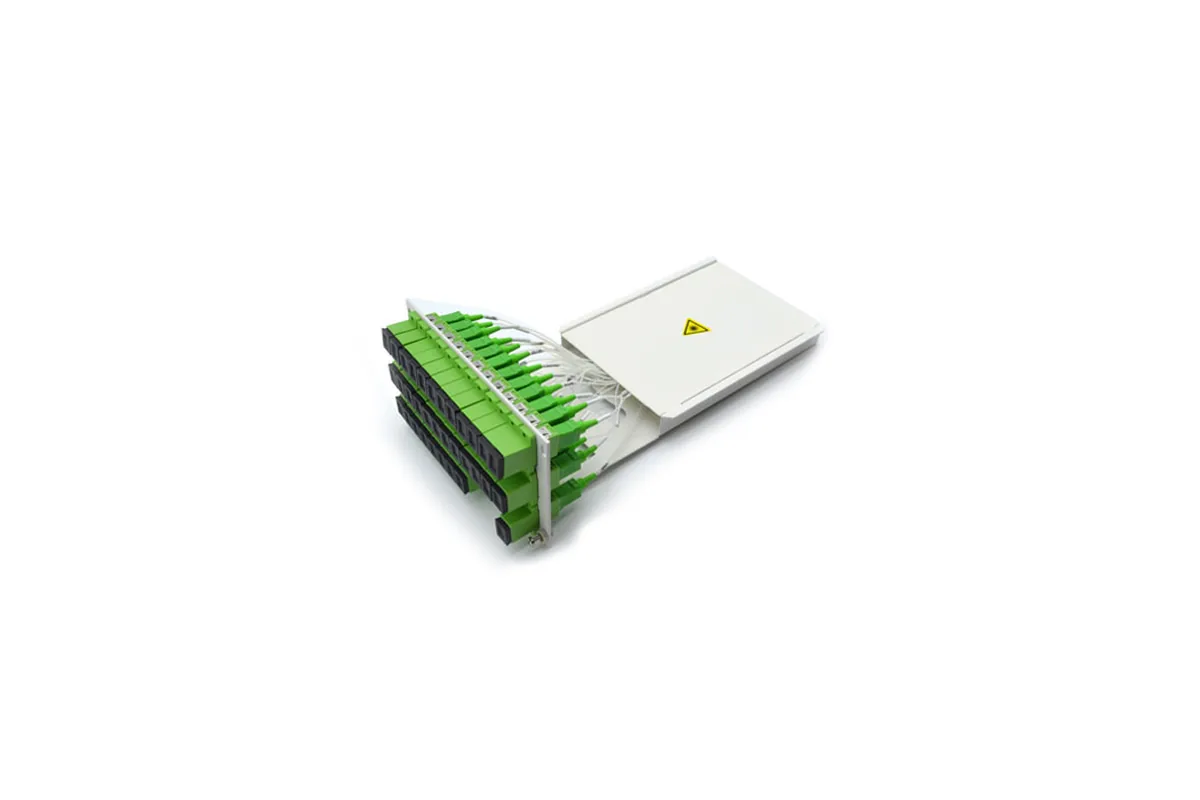
A rack mount PLC splitter is designed for rack-based installation, often in a 19-inch rack environment or a larger cabinet system. It is useful where multiple ports must be managed in one centralized location.
NetLast’s live website includes a product page for a 1×64 Fiber Optic PLC Splitter Rack Mount Patch Panel. The page describes rack-mount style PLC splitter products and lists configurations and connector options on that page. For publication and quotation, buyers should verify the exact current details on the product page or with NetLast before using them as project specifications.
When rack mount makes sense
Rack mount splitters are practical when:
- the splitter is installed in a central office, headend, hub room or cabinet;
- port density and cable management matter;
- the project uses rack-mounted ODF or patch-panel infrastructure;
- technicians need clear front-panel access to many output ports.
Procurement notes
For rack mount PLC splitters, specify the rack size, split ratio, input/output connector type, connector polish, adapter layout, front-panel labeling, rear cable management, package depth and any project-specific documentation requirement.
Rack mount products should be checked together with the cabinet or ODF system. The splitter may be optically correct but still create installation problems if cable routing, port labeling or rack space is not planned.
How to choose the right package type
The simplest way to choose a PLC splitter package is to start from the installation point, not from the product photo.
1. Identify where the splitter will be installed
If the splitter is hidden inside a splice closure or custom assembly, bare fiber or mini package may work. If it is installed inside a distribution box, mini or ABS box may be more practical. If it is installed in an ODF or cabinet, LGX or rack mount may be easier to manage.
2. Check available space and bend control
Small enclosures are not only about length and width. You also need room for fiber routing, bend radius, splice protection, adapters, cable entry and future maintenance.
3. Decide whether the splitter should be spliced or connectorized
Spliced splitters can reduce adapter interfaces, but they require field or factory splicing. Connectorized splitters are easier to install and replace, but they add connector interfaces that must be cleaned, inspected and managed.
4. Match the package to maintenance expectations
If the splitter is unlikely to be touched after installation, an internal compact package may be acceptable. If technicians need easy access, replacement or patching, LGX or rack mount designs may reduce maintenance complexity.
5. Align the splitter with the rest of the passive BOM
The splitter package should match the fiber distribution box, patch panel, pigtails, patch cords, adapters, closures and cable route. Treat it as part of the full ODN design, not as a standalone item.
PLC splitter RFQ checklist
To get a faster and more accurate quotation, include the following information in your RFQ:
| RFQ field | What to specify |
|---|---|
| Split ratio | 1×2, 1×4, 1×8, 1×16, 1×32, 1×64, 2xN or other required design |
| Package type | Bare fiber, blockless/mini, ABS box, LGX cassette, rack mount |
| Fiber type | Confirm the required fiber type according to project specification |
| Connector type | SC, LC, FC or other required connector |
| Connector polish | APC or UPC, according to the network design |
| Pigtail length | Input and output fiber length if applicable |
| Installation location | Closure, distribution box, cabinet, ODF, rack or wall-mount location |
| Enclosure compatibility | Box, panel, cassette or rack model if already selected |
| Labeling | Ratio, port numbering, customer label, color coding or OEM label |
| Testing documents | Test report, inspection photo, packing photo or other required records |
| Packing | Individual packing, carton marking, project packing or shipment label |
| Quantity and schedule | Order quantity, sample requirement and target delivery timing |
If you already have a project drawing or BOM, send it together with the RFQ. It is usually easier to check the splitter package when the supplier can see the distribution box, patch panel or ODN layout.
Common mistakes to avoid
Choosing by split ratio only
A 1×8 splitter and a 1×8 mini splitter are not enough information for procurement. You also need package type, connector/pigtail details and installation requirements.
Ignoring enclosure compatibility
The splitter must physically fit the box, closure or rack. Always check internal space, adapter position and fiber routing.
Mixing connector polish without review
APC and UPC connectors should not be treated as interchangeable. Confirm the required polish type across the project before ordering.
Forgetting labels and documentation
For field installation, clear labels and basic test documentation can reduce confusion. Agree on these requirements before production.
Assuming one supplier page covers every project requirement
Product pages are useful starting points, but final project orders should be based on confirmed specifications, drawings, samples or written quotation details.
How NetLast can support PLC splitter selection
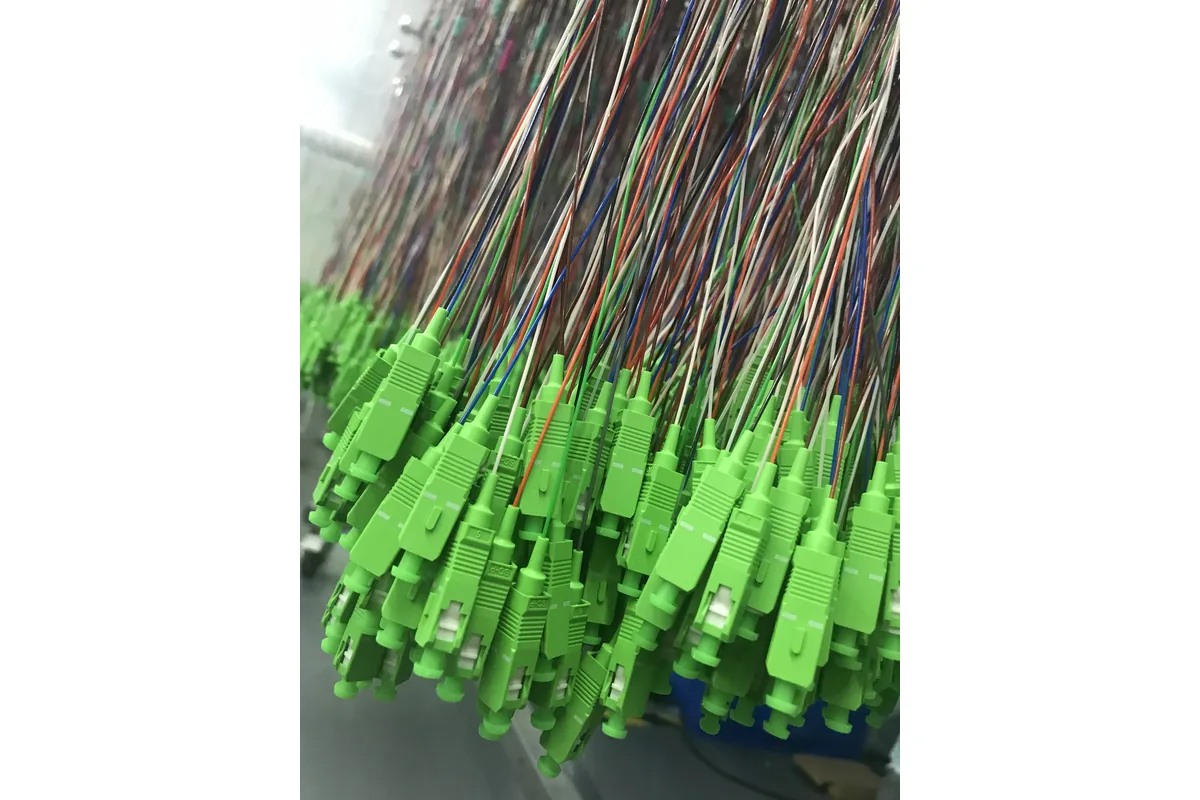
NetLast supplies fiber-optic passive network products, and the live NetLast website includes a Fiber Optic Splitter category plus PLC splitter product examples such as mini and rack mount styles.
For a project quotation, the practical next step is to send NetLast the splitter ratio, package type, connector requirement, installation location and any related distribution box or patch-panel information.
If you are not sure which package type to choose, send the ODN drawing, target enclosure, required port count and installation environment. NetLast can help review whether a bare fiber, mini, ABS, LGX or rack mount style is more suitable for the project BOM.
FAQs
What is the difference between ABS and LGX PLC splitters?
An ABS PLC splitter is a protected box-style splitter module that is often used inside distribution boxes, wall boxes or cabinets. An LGX PLC splitter is a cassette-style module intended for structured panel or ODF environments, where front-panel patching and labeling are important.
When should buyers choose a bare fiber PLC splitter?
Choose bare fiber when the splitter will be integrated into another assembly, such as a splice tray, closure or custom module. It is flexible and compact, but it requires controlled handling and splicing.
Is a blockless PLC splitter the same as a mini PLC splitter?
In many procurement conversations, “blockless” and “mini” refer to compact PLC splitter packages with a small protective structure. Exact dimensions and structure vary by supplier, so buyers should confirm drawings or datasheets before ordering.
Can a PLC splitter be installed inside a fiber distribution box?
Yes, PLC splitters are commonly installed in fiber distribution boxes, but the package type must fit the box layout. Confirm splitter size, pigtail routing, adapter position, splice tray space and cable entry before production.
What should I include in a PLC splitter RFQ?
Include split ratio, package type, fiber type, connector type, connector polish, pigtail length, installation location, enclosure compatibility, labeling, testing documents, packing requirement and quantity.
Which PLC splitter package is best for FTTH projects?
There is no single best package for every FTTH project. Bare fiber or mini packages may suit compact internal assembly. ABS boxes can be easier for protected box installation. LGX and rack mount designs are better for structured cabinet or ODF environments.
Technology selection comes before packaging. Compare PLC and FBT splitter differences before choosing the tray, cassette, ABS box or rack format.